
-

Try advanced features for free
Get Smarter responses, upload files, create images, and more by logging in.
Log In Sign up & Earn $5

What Is an AI Workspace and How Teams Use It Today?

Work today is scattered. Docs live in one place. Chats in another. Notes, ideas, prompts, and decisions are spread across tools that do not talk to each other. That fragmentation slows teams down.
This is where an AI workspace fits in. It is not another productivity app. It is a central system where work, context, and AI assistance exist together so people can focus on outcomes instead of managing tools.
This guide explains what is an AI workspace, how an AI workspace platform works, why teams rely on an AI workspace for productivity, and how a collaborative AI workspace changes the way teams operate.
What Is an AI Workspace and Why It Exists
If you are asking what is an AI workspace, the short answer is simple.
An AI workspace is a digital environment where artificial intelligence is built directly into daily work. Instead of switching between tools, files, and chats, everything lives inside one shared space that understands context.
Unlike traditional work tools, an AI workspace does more than store information. It helps you think, write, organize, summarize, and move work forward.
A basic example:
- You upload notes, documents, and links into one space
- AI understands the context of that space
- You ask questions or give instructions
- The system responds using your actual content, not generic answers
This is why teams adopt an AI workspace. It removes friction between ideas and execution
AI Workspace Platform: How the System Actually Works
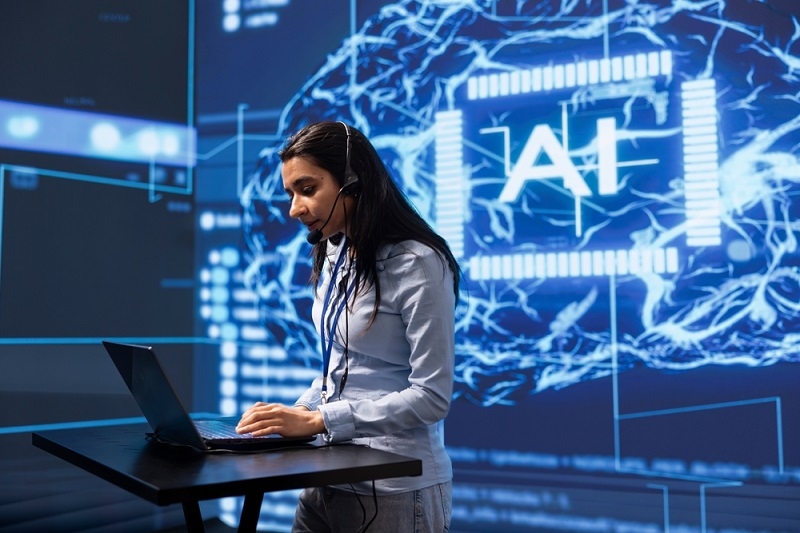
The experience of an AI workspace platform is supported by its technology layer. It integrates AI models along with your documents, conversations, and processes.
The platform remembers and structures prompts instead of treating them all as separate.
The majority of the AI workspace platforms feature:
- A common area for links, documents, and files
- AI that is aware of the context and makes use of the workspace content
- Controls for team collaboration
- A search that spans conversations and files
- Managing permissions and access
Take a situation where a team is relying on an AI workspace platform for planning. In such a case, the AI does not make assumptions but instead relies on the notes of the project, summaries of meetings, and previous discussions that are preserved in the workspace.
This essentially differentiates the use of AI as an assistive tool and as part of the system.
AI Workspace for Productivity in Real Work Scenarios
An AI workspace for productivity acts to lessen the burden of busy work and mental fatigue. It does not cut out thinking but rather makes it more efficient.
This is the way that teams typically utilize it.
Writing and Documentation
Instead of initiating the process with an empty page, teams take advantage of the AI workspace to:
- Generate content utilizing previously stored notes
- Make sections clearer through rewriting
- Condense lengthy documents into shorter ones
- Convert discussions into actionable items
Meetings and Follow Ups
One upload of meeting notes is sufficient. AI produces:
- Concise summaries
- Principal decisions
- Next steps
Updating others is not required for anyone.
Research and Planning
In case research is inside an AI workspace, teams can:
- Put forth subsequent questions
- Draw comparisons between sources
- Get the main points without having to read everything again
This is the reason why corporations tend to seek productivity-enhancing AI workspaces rather than simply adding more tools.
AI Workspace for Productivity: Why Teams Are Switching
Teams are switching to AI workspaces because of the following reasons:
Less Context Switching
A person's attention is diverted when they move between applications. However, the use of an AI workspace minimizes that distraction by having all work done in one location.
Faster Decisions
The AI system retrieves answers from the context provided rather than using standard knowledge.
Cleaner Collaboration
All team members work according to the same reference document.
Scales With the Team
The new hires get trained faster as the workspace already has the past and the organizational structure.
This is one of the reasons why an AI workspace for productivity has transitioned from being nice to have to being infrastructure.
Collaborative AI Workspace and Team Alignment
A collaborative AI workspace is built for teams, not individuals working alone.
It allows multiple people to:
- Share one workspace
- Add files and references
- Ask questions against shared context
- Build on each other's inputs
Instead of forwarding documents or repeating explanations, teams work inside the same environment.
For example:
A marketing team stores campaign briefs, feedback, and timelines in one workspace. Anyone can ask the AI for a summary, rationale, or next steps without searching through messages.
That is what makes a collaborative AI workspace effective. It preserves team knowledge and reduces repetition.
TalkGPT Space as an AI Workspace Example
Platforms like TalkGPT Space show how an AI workspace should function in real use.
TalkGPT Space allows users to create dedicated spaces around projects, topics, or teams. Each space keeps its own context, files, and conversations. AI responses are based on what lives inside that space.
This makes TalkGPT Space useful as:
- An AI workspace for productivity
- A collaborative AI workspace for teams
- A practical AI workspace platform for structured work
Instead of starting over every time, users continue work inside the same environment. That continuity is the real value.
Teams using TalkGPT Space can:
- Keep project knowledge in one place
- Avoid repeating background details
- Use AI that understands their specific context
Key Features to Look for in an AI Workspace Platform
If you are evaluating an AI workspace platform, focus on function, not buzzwords.
Important features include:
- Persistent memory inside each workspace
- File and link support
- Team-level collaboration
- Controlled access and permissions
- Clear structure for ongoing work
Without these, an AI workspace becomes just another chat tool.
When an AI Workspace Makes Sense
An AI workspace is useful when:
- Teams handle complex information
- Work requires continuity over time
- Collaboration involves multiple stakeholders
- Knowledge needs to be reused
Writers, marketers, product teams, consultants, and researchers benefit the most. That is why adoption of the AI workspace model continues to grow.
Final Thoughts
An AI workspace is not about replacing people. It is about reducing friction between ideas and execution.
When teams use the right AI workspace platform, productivity improves because context stays intact. A strong AI workspace for productivity helps people focus on work that matters. A well designed collaborative AI workspace keeps teams aligned without constant follow ups.
Platforms like TalkGPT Space show how this model works in practice by giving teams one shared system where work continues instead of restarting every day.
If work feels scattered, the issue is not effort. It is structure. An AI workspace fixes that.
FAQs About AI Workspace
Here are clear answers to common questions people have before using an AI workspace.
What is an AI workspace used for?
An AI workspace is used to organize work, store context, and use AI to assist with writing, planning, research, and collaboration in one place.
How is an AI workspace platform different from chat tools?
An AI workspace platform keeps memory, files, and structure. Chat tools respond to single prompts without understanding long term context.
Is a collaborative AI workspace suitable for remote teams?
Yes. A collaborative AI workspace helps remote teams stay aligned by keeping shared knowledge, decisions, and updates in one system.
Recommended Articles
How Zero Shot Prompting Lets Y...
Pushing bad prompts into an AI gives you terrible results. You w...
Read More
AI Assistants vs AI Agents: Th...
Picture this: it is Monday morning, and you type a request asking your tool t...
Read More
What can I help you with?
Unlock more with TalkGPTPlus
TalkGPTPlus gives you higher limits, smarter models, and more.