
-

Try advanced features for free
Get Smarter responses, upload files, create images, and more by logging in.
Log In Sign up & Earn $5

Learn How to Build Your Own Website Without Coding
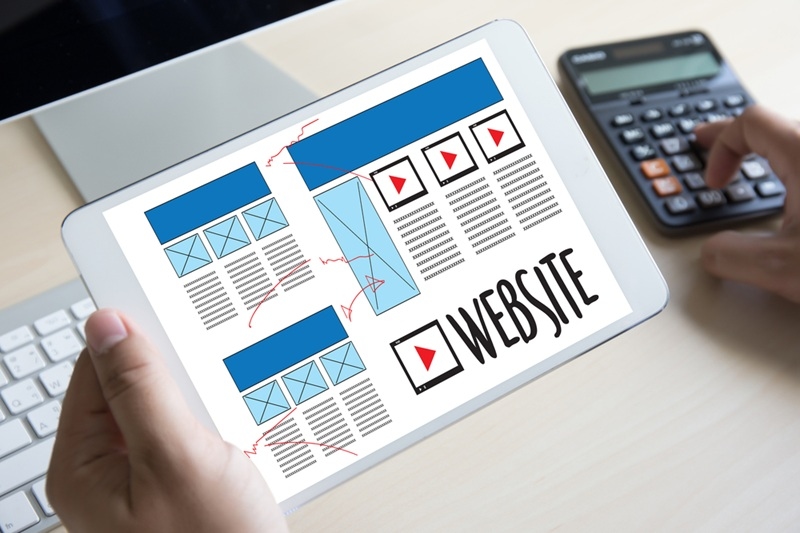
Building a website used to feel like some mysterious project you could only tackle if you spoke "developer." You had to mess with code, deal with servers, and untangle problems that made your head spin. That's not how it works anymore.
Honestly, anyone can put together a professional-looking website now. You just need the right tools and a drop of guidance. Whether you're shooting for a personal blog, a business homepage, or a slick online portfolio, you can pull it off. Building a website without coding isn't some hack; it's how most people do it these days.
Let's break it down step by step, so it actually feels doable.
How to Build your Own Website Without Coding
You don't need fancy tech skills in your pocket. The thing is to know what you want, and a platform that will assist you in getting there.
The best thing about them is that these no-code website builders have done the heavy lifting. You do design and content, they do the rest: site structure, hosting, performance.
Start with a clear purpose
Take a moment to consider what you want your site to do before leaping into it.
Ask yourself these questions:
- Is it a blog? A business site?
- Do you need an online store?
- Are you going to post regularly?
- Want to collect leads or emails?
A blog doesn't need what an online shop needs. Getting clear early saves you headaches later.
Choose a no code website builder
Now for the hands-on bit. A no-code builder lets you arrange your site visually, no programming needed.
Some favorites:
- Wix if you're starting out and want flexibility
- Squarespace for stylish, modern vibes
- Webflow for fine-grained design control
- mygptdeveloper for AI-powered site ideas and layouts
Take mygptdeveloper.com, for example: it can whip up layouts and give you content ideas based on your input. That saves time and energy. The main thing here? Find a platform that feels right for you.
Understanding How No Code Platforms Work
At first, these tools almost look too simple. Drag this, drop that, tap publish. But the system behind them is solid.
Drag and drop design system
Most platforms use a visual editor, where you pick stuff like text, images, buttons, and move them wherever. There's no coding, just arranging.
You can:
- Add sections to your page
- Move things around
- Resize images
- Change fonts and colors
Feels a lot like building a slideshow, which makes it pretty approachable.
Built in hosting and security
A lot of people miss this detail: no code builders almost always include hosting.
That means:
- Your site sits on secure servers
- Performance is handled for you
- Updates happen automatically
You don't need to worry about technical setup. And things ike SSL certificates (which keep your site secure) come with the package.
Step-by-Step Process to Build your Website
Let's put this into action. If you want to make a website without touching code, keep it simple.
Step 1: Choose a template
The majority of platforms provide pre-built templates.
- The arrangement of creatives' portfolios
- The organizational structure of a service provider
- Layout of the writer's blog
Perfection is not a major issue; templates are only the start.
Step 2: Customize your design
Select the template, and personalize it.
Think about:
- Brand colors
- Readable fonts
Keep it clean. When you use excessive fonts or colors, you will be messy in no time.
Step 3: Add your content
Content is what gives your site meaning.
Pages you'll probably need:
- Home
- About
- Services or products
- Contact
Write simply. Short paragraphs. Talk directly to your visitors.
Need help? Tools like mygptdeveloper can suggest ideas based on what your site's about.
Step 4: Connect a domain name
Your domain is your web address, something like yoursite.com.
Most platforms let you:
- Buy a domain right there
- Hook up one you already own
Go for something short and memorable. Skip names that are long or complicated.
Step 5: Publish your site
Here's where it gets real. Hit publish, and your site goes live right away. No complicated launch. You can always tweak things later.
Designing a Website that Actually Works
A good website isn't just pretty; it needs to work for your visitors.
Keep navigation simple
People should find what they need fast.
Use a clear menu:
- Home
- About
- Services
- Contact
Don't fill it with too many links. Clean menus are easier to use.
Focus on mobile responsiveness
Lots of people browse on their phones. Most platforms auto-adjust for mobile, but check it yourself. Scroll around. Make sure everything works and looks good.
Use clear calls to action
Every page should lead people somewhere.
Examples:
- Contact us
- Book a call
- Sign up
Keep instructions short and obvious.
Common Mistakes Beginners Should Avoid
Even with easy tools, some mistakes pop up all the time.
Overcomplicating the design
It's tempting to use every animation and wild color. But simple sites work better. A clean layout beats flashy any day.
Ignoring loading speed
Big images or too much stuff can slow your site down. People aren't patient with slow pages. Compress images. Keep things light.
Why No Code Website Builders are Popular
There's a reason these platforms are everywhere.
- Quicker configuration and deployment: It takes only a few hours to have a live site. That is the speed with which you can get projects going, ideal in businesses and side jobs.
- Less expensive than developers: It can be expensive to pay someone to create your site. There are no budget plans by code builders, and they comprise tools, hosting, and support.
Conclusion
Building a website isn't some expert-level chore anymore. Anyone can make something professional with simple tools and a clear plan. You pick a platform, design the site, add your stuff, and launch it. That's the whole process. The most important thing? Get started. It doesn't have to be perfect on day one. Build, update, and improve your site, and it will grow along with your goals.
FAQs
Would I need hosting in case I use a no-code web builder?
Most no-code website building providers offer hosting. This implies that your site will be hosted and run on their machines. To the beginners, the whole process is made easier since there is no need to create anything separately.
Once I have developed my site, can I change providers?
Yes, but it might take a long time. When changing builders, you might need to recreate a section of your website manually. Even though it is possible to copy material, design elements frequently fail to cross platforms.
Is it possible to add custom features later?
In fact, there are a large number of systems that can be used with plugins. As you expand, you can include functionality such as email marketing facilities, booking services, or e-commerce, yet you do not need to know any programming.
So, how long does it take to make a site without knowing how to write the code?
This will be determined by the complexity of your site. The simplest site can be completed within a few hours, and a complex site might require a few days. The process remains much faster than the conventional processes.

What can I help you with?
Unlock more with TalkGPTPlus
TalkGPTPlus gives you higher limits, smarter models, and more.