
-

Try advanced features for free
Get Smarter responses, upload files, create images, and more by logging in.
Log In Sign up & Earn $5

10 Best ChatGPT Alternatives for Writing, Research, and More
Key Points
- Free AI chatbots like ChatGPT have come a long way since ChatGPT first rolled out, and now there are plenty of alternatives for writing, research, coding, business, education, and all sorts of everyday tasks.
- Claude handles long-form writing, editing, and big document analysis without breaking a sweat.
- Perplexity is all about research-think web searches with reliable sources you can actually check.
- Gemini works well for general productivity, especially if you're already in Google's ecosystem.
- TalkGPT brings together AI conversation, web search, file uploads, image creation, and more under one roof.
- There are plenty of the best free ChatGPT alternatives too. You can get a lot done without needing to sign up for a paid plan.
So, if you're looking for a new AI assistant, ChatGPT isn't the only game in town anymore. The selection is getting longer with each new tool, and they all focus on something specific.
Some are super useful for research, some for writing, coding, business processes, or helping students. Comparing these AI tools like ChatGPT helps you find the one that actually makes your work easier.
10 Best ChatGPT Alternatives Worth Trying
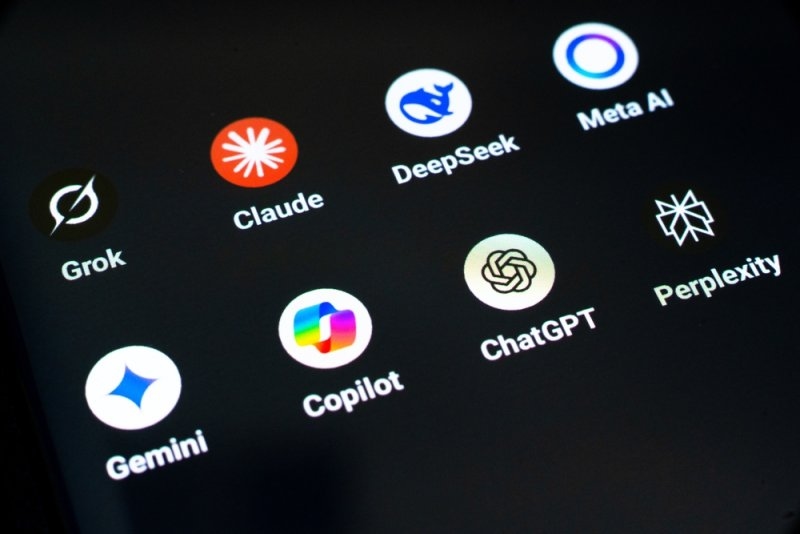
Let's check out some of the best ChatGPT alternatives: Each of the below has its own strengths and features, so if you're after something specialized, specific strengths, or a more streamlined workflow, there's something for most use cases here.
1. Claude
Claude's great for writing, editing, brainstorming, or digging through large documents. It handles long, detailed instructions and isn't fazed by big blocks of text. If you want help drafting articles, rewriting content, summarizing papers, organizing ideas, or boosting clarity, Claude is a solid pick-especially if you're tired of splitting everything into a million little prompts.
2. Google Gemini
Gemini does just about everything. ChatGPT does writing, brainstorming, making summaries, explaining tricky ideas, digging up research, and juggling multimodal tasks. Since it lives in Google's world, it's especially handy if you already use their services. If you want a free, no-frills AI assistant for everyday use, try Gemini first-you probably won't need to pay for advanced features right away.
3. Perplexity
Perplexity is all about helping you research smarter. It combines chatty answers with live web searches and real sources you can check for yourself, not just AI guesswork. It's great for anyone who needs to gather information, especially students and writers. Quick to access, you can search sources, verify facts, and begin the next step of your research almost immediately.
4. TalkGPT
TalkGPT adds all sorts of extra tools to the usual AI conversation. You get search, file uploads, image generation, and even voice features. If you just want a basic chatbot, it's maybe overkill. But if you'd rather have everything in one place, this is worth a look.
5. Microsoft Copilot
Microsoft Copilot is made for people who use Microsoft's productivity tools. It can help with writing, brainstorming, summarizing, or collecting information during the workday. For business use, convenience matters-a tool that plays nicely with your existing software means less time juggling platforms.
6. DeepSeek
DeepSeek is for reasoning, math, and technical challenges. It helps solve logic puzzles, explain technical ideas, and can even generate or review code. If you're a developer or just need help with techie stuff, DeepSeek belongs on your shortlist.
7. GitHub Copilot
GitHub Copilot isn't your usual chatbot-it's a coding assistant built right into supported development platforms. It writes code, explains programming concepts, helps debug problems, and keeps you focused on your project without making you switch back and forth.
8. Cursor
Cursor is an AI tool designed specifically for code. It can create new code, help you understand complex codebases, tweak existing code, and guide you through troubleshooting tricky bugs. If you prefer a coding environment built around developers' actual needs, Cursor's a strong choice.
9. Meta AI
Meta AI covers the basics-answering questions, brainstorming, and helping you write. Since it's linked to Meta's platforms, it's convenient if you're already using those. Availability and features will vary depending on your country and use of the apps. So check availability.
10. Grok
Grok is a friendly conversational assistant for everyday questions, writing, brainstorming, and gathering information. Its home turf is the X platform (formerly Twitter), so the experience is a bit different from other ChatGPT competitors. As always, double-check any info the bot gives you when it matters.
How to Pick the Right ChatGPT Alternative AI?
Don't just chase ChatGPT alternative AI features-think about what you'll really use the AI for.
- ChatGPT alternatives for writing: You'll want AI tools like ChatGPT that handle long content, rewrite drafts, brainstorm, and let you tweak tone.
- ChatGPT alternatives for research: Find web access, citations, source research, and recent information.
- ChatGPT alternatives for coding: Think about code generation, debugging capabilities, and where in your workflow the bot might apply.
- ChatGPT alternatives for business: Security, privacy, collaboration, and software integrations are what matter.
- ChatGPT alternatives for students: Ultimately, focus on explainers and, in particular, help with summarization and research, and, of course, good free access.
Try the top options out with some real-life tasks-they'll show their strengths (and quirks) right away. A fancy feature list is nice, but hands-on testing is what counts.
Final Thoughts
The explosion of these alternatives gives everyone more choice. Platforms like TalkGPT bring in conversation, search, files, images, and more. It's a handy choice if you're looking for a flexible alternative to ChatGPT.
Honestly, picking the right AI bot really comes down to what you're after. If you're writing copy, you'll want something different from what a developer, student, or business user would need. Give a few free ChatGPT alternatives a try and see what fits. Test them with your actual tasks. See what just works-and go from there before paying for a premium plan.
Frequently Asked Questions
What are the best ChatGPT alternatives for everyday use?
Honestly, it all depends on what you're trying to do. If you want something for writing, research, or just bouncing around ideas, you've got options like Claude, Gemini, Perplexity, TalkGPT, and Microsoft Copilot. They all cover the basics, but each one has its own quirks-some have usage limits or special features, so you have to poke around and see which fits your routine.
Are free ChatGPT alternatives actually free?
Most AI platforms offer free plans, but nothing's totally unlimited. You'll probably run into restrictions-like message caps, limited models, rules about uploading files or running web searches, or blocked advanced features. Always double-check the latest plan details before you count on a free tool.
Which ChatGPT alternatives are good for students?
Students get a lot out of AI assistants-they help with brainstorming, explanations, summaries, planning study sessions, and digging up research. Perplexity's pretty handy if you're hunting for sources. For writing or understanding something tricky, tools like Gemini, Claude, or TalkGPT do a solid job, as long as you use them wisely.
What about ChatGPT alternatives for business work?
If you're using AI for work, you'll probably want a mix-general assistants and tools focused on productivity, like Microsoft Copilot. But it's not just about how smart the AI sounds. Security, privacy, collaboration features, and how well these platforms fit with your company's setup really matter. Think about how your data is managed, not just the output.
Can I use more than one ChatGPT alternative?
Of course. There's nothing stopping you from juggling a few tools that each do something different. Maybe you use one for research, another to polish your writing, and a third for coding. Mix and match-whatever makes your life easier.
Recommended Articles

What Is AI Workflow Automation...
The way businesses manage repetitive tasks, increase productivity, and cu...
Read More
What is AI Code Debug & How Do...
Learning how to build websites is very important today. The tech...
Read More

What can I help you with?
Unlock more with TalkGPTPlus
TalkGPTPlus gives you higher limits, smarter models, and more.