
-

Try advanced features for free
Get Smarter responses, upload files, create images, and more by logging in.
Log In Sign up & Earn $5

How Does an AI Chatbot Work and Support Customers Faster?

Key Takeaways
- An AI chatbot reads a message, guesses what the person wants, and answers in a few seconds.
- It runs on natural language processing plus machine learning. Both improve as more chats come in.
- AI chatbot benefits are mostly about speed and cost, though personal replies matter more than people expect.
- A conversational AI chatbot remembers what was said earlier in the chat, so you don't repeat yourself.
- Bots fumble angry or complicated cases. Keep a real person one click away.
- Don't launch everything at once. Pick a handful of common questions and see how it goes.
Picture this. It's almost midnight, your order hasn't shown up, and the support line closed hours ago. You type a quick question into a chat box on the store's site. Three seconds later, you've got a tracking link and an apology. That was probably an AI chatbot.
Most of us have met one by now, even if we didn't notice. They sit on shopping sites, bank apps, airline pages, and plenty of places in between. Some are great. Some are painful.
This guide covers how they work, what they're good at, where they trip up, and how a small team can set one up without losing a month to it. There's a real AI chatbot example in the middle too.
What is an AI chatbot?
An AI chatbot is a program that talks with people in plain language, through typing or speech. The "AI" part matters. Older bots just matched keywords, so a typo could break them. This kind tries to figure out what you meant, not only what you wrote.
You'll find them on websites, inside apps, and in chat tools like WhatsApp. Think of one as a support rep who never clocks out, though it won't always have a perfect day.
AI Chatbot vs. Rule-Based Bot: What's the Difference?
Early chatbots followed scripts. Ask something the script didn't cover, and you'd get the same menu again and again. Annoying. Newer bots learn from data and cope with messy wording, which is the whole point of the upgrade. The table shows where the two differ most.
| Feature | Rule-Based Bot | AI chatbot |
| Language understanding | Matches fixed keywords | Understands intent and context |
| Learning ability | None without manual edits | Improves from data and feedback |
| New questions | Often fails or loops | Adapts and gives relevant replies |
| Personalization | Very limited | Uses past data for tailored answers |
| Long-term scaling | Rigid and hard to extend | Grows with more data and training |
Understanding how AI chatbots work in simple steps
Between your question and the bot's answer, quite a lot happens. It takes under a second, so you never notice. Still, knowing the basic flow helps when you're comparing tools, because vendors love throwing jargon around. Here's the plain version, one step at a time.
1. Reading the Message
The bot grabs your message first and cleans it up a little. Typos get smoothed over. Then natural language processing chops the sentence into parts so the system can focus on meaning instead of exact words. "Where's my order?" and "package still not here" look nothing alike on the screen, yet they're asking for the same thing.
2. Finding the Intent
Now comes the guess. Is this person tracking a parcel, resetting a password, or asking for their money back? The model also pulls out details like order numbers and dates. What's neat is that machine learning gets better at this guess each time a chat ends well, since every one becomes another training example.
3. Checking the Facts
Knowing the intent isn't enough, though. The bot still needs real facts. So it searches help articles, the knowledge base, and whatever systems it's connected to, like an order database or a billing record. This link to live data is what separates a useful assistant from a chat window that merely sounds friendly.
4. Replying and Learning
Then the bot writes its answer, often matching your tone. If the question is too tricky or the customer sounds upset, it passes the chat to a person along with the whole history, so nobody starts over. Afterward, teams read through conversations, fix gaps, and retrain. That loop is why good bots keep improving.
Must Read: 10 Best ChatGPT Alternatives for Writing, Research, and More
Why Does a Conversational AI Chatbot Feel So Human?
A conversational AI chatbot doesn't treat every message like a brand-new puzzle. It follows the whole thread. Say you mention a red jacket early on, and ten messages later ask, "Do they have it in medium?" The bot knows what "it" means. Small thing, but it's most of the reason these chats feel natural.
- Context: follow-up questions work without repeating yourself.
- Tone: it can pick up on frustration and soften its wording.
- Channels: type, talk, or message, whatever suits you.
AI chatbot example: How a Shoe Shop Bot Handles a Refund
Say an online shoe shop uses a bot. A customer writes that the new sneakers feel too small and asks about a refund. Nothing dramatic. But watch how many small jobs the bot does in one short chat, none of which the customer ever sees.
| Stage | What the Bot Does | Result |
| Message | Reads, "Sneakers too small, need refund." | Detects a return intent |
| Data check | Finds the order and return policy | Confirms the item is eligible |
| Reply | Shares steps and a prepaid return label | The customer gets instant help. |
| Follow-up | Offers an exchange for a larger size | May save the sale |
| Escalation | Hands over if the customer sounds upset. | The human agent continues smoothly. |
Under a minute, start to finish. The customer gets a return label and an offer for a bigger size, and the shop may even keep the sale.
Key AI Chatbot Benefits for Customers and Businesses
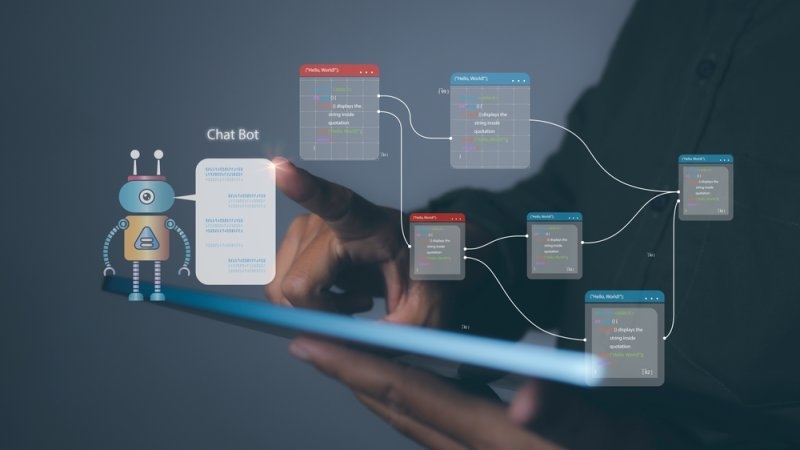
The biggest AI chatbot benefits fall into three buckets: speed, cost, and how customers feel afterward. Some surveys suggest plenty of people prefer a bot for simple questions, simply because the answer shows up right away. Here's what teams tend to notice first, usually within a few months.
1. Help When Nobody's in the Office
Nobody enjoys waiting until Monday for a simple answer. A bot replies at midnight, on Sundays, and on public holidays. That alone keeps some shoppers from wandering off to a competitor. For plenty of small shops, this is the single reason they try a bot at all.
2. Lower Support Costs
One bot can chat with thousands of people at the same time. That means no scramble to hire extra staff every holiday season. Questions about shipping, passwords, and billing stop clogging up your agents' day, so each request costs less to handle. It adds up quickly, especially for busy stores.
3. More Personal Service
Because the bot can see past orders and saved preferences, it can suggest things you'd really want. Hearing your own name, or having an earlier problem remembered, feels thoughtful. McKinsey has reported that most customers expect this kind of tailored treatment, and many get irritated when they don't receive it.
4. Happier Agents
When the bot takes the repetitive stuff, human agents get the interesting problems. Burnout drops. New hires learn faster, too. Managers also get a clear view of which questions keep popping up, which is gold for fixing the product itself. Happier agents usually deliver better service, and satisfaction scores tend to follow.
Top Pick: What Is AI Workflow Automation, and How Does It Work?
Where AI Chatbots Fall Short?
Bots aren't perfect, and it's better to know that before you launch than after. A stale help article, not enough training data, or a fuzzy question can all lead to answers that are wrong or just plain confusing. Here are the weak spots to keep an eye on:
- Emotional or tangled situations. Someone fighting a billing error doesn't want a polite script. They want a person who actually gets why they're upset.
- Confident mistakes. Some models sound totally certain even when they're wrong. If an answer matters, check it against a source you trust.
- Customer data. Treat it carefully. That means clear privacy rules and secure connections from day one.
Setting Up an AI Chatbot for Your Business
This doesn't have to be a huge project. Pick one narrow goal, get it working, then build on it. Most businesses get through three stages, and a focused team can see real results in a few weeks. Keep your whole team in the loop, too. When a bot does something unexpected, your support staff are the ones who deal with it.
1. Start with your top questions.
Go through old chats and tickets and find the ten questions people ask most often. They're common, simple, and easy to measure, which makes them a great starting point. Save the rare or sensitive stuff for later. Let the bot prove itself on everyday requests before you give it more to do.
2. Connect your data and decide when humans step in.
Hook the bot up to your help center, order system, and customer records so its answers stay accurate. Then settle exactly when it should hand a chat over to a person. A smooth handoff matters more than most people think. No one wants to explain their problem twice.
3. Test, measure, tweak
Roll it out to a small group first and read the chat logs. Confusing answers show up quickly. Keep an eye on first contact resolution, customer satisfaction, and average handle time. Refresh your knowledge base every month, and only add new topics once the numbers clearly improve. Going slow beats a messy big-bang launch every time.
Wrapping Up
AI chatbots aren't some futuristic extra anymore. They're a practical way to help customers fast, at any hour. Once you understand how they work, picking tools and setting goals gets a lot easier.
Begin with the common questions, protect your customers' data, and keep real people ready for the tricky stuff. So, want to give your customers quicker answers and your team a bit of breathing room?
FAQs
What is an AI chatbot used for?
Mostly support. Someone wants to know where their order is, or whether you're open Saturday, or how to reset a password, and the bot handles it. Some also book appointments. Most businesses stick one on their site or app, so their staff isn't answering the same twenty questions all day.
How do AI chatbots understand what customers say?
The bot reads the message and tries to work out what the person wants, even if they phrase it badly. "Where's my stuff" and "order status" should land in the same place. It's trained on a huge pile of past conversations, so it picks the reply that worked best before.
Can an AI chatbot replace human support agents?
No, and I wouldn't try. Bots are great at the dull, repetitive stuff. But an angry customer, a weird edge case, or anything involving money or personal details? Put a person on it. The teams that get this right let the bot do the grunt work and make it easy to pass a chat to a human, so the customer never has to repeat themselves.
Is a conversational AI chatbot different from a regular chatbot?
Yeah, quite a bit. An older bot runs on a script. Go off-script, and it's lost, and it forgets what you said two messages ago. A conversational one remembers the thread, picks up on tone, and can work by voice as well as text.
What are the main benefits of AI chatbots for small businesses?
Speed, mostly. Customers get an answer right away, even at 2 a.m., and you don't need to hire a whole team to make that happen. It also costs less than extra staff. And people tend to come back to businesses that answer them quickly.
Recommended Articles

What is Multimodal AI & How Do...
It is not possible to build your business infrastructure on old and text-only...
Read More
How AI Browsers are Changing t...
The internet feels different now. Faster in some ways, noisier i...
Read More
What can I help you with?
Unlock more with TalkGPTPlus
TalkGPTPlus gives you higher limits, smarter models, and more.